
 Khizrana Begum
Informational Content Writer
Khizrana Begum is an informational content writer who creates clear, structured and reader-friendly articles across general knowledge, technology, digital topics, lifestyle and practical everyday subjects.
Read Full Bio of Author →
Informational Content Writer
Khizrana Begum
Informational Content Writer
Khizrana Begum is an informational content writer who creates clear, structured and reader-friendly articles across general knowledge, technology, digital topics, lifestyle and practical everyday subjects.
Read Full Bio of Author →
Informational Content Writer
 Sameena Begum
Content Reviewer
Sameena Begum is a content reviewer who reviews selected QuoraBlog articles for clarity, readability, organisation, consistency and responsible presentation.
Read Full Bio of Reviewer →
Content Reviewer
Sameena Begum
Content Reviewer
Sameena Begum is a content reviewer who reviews selected QuoraBlog articles for clarity, readability, organisation, consistency and responsible presentation.
Read Full Bio of Reviewer →
Content Reviewer
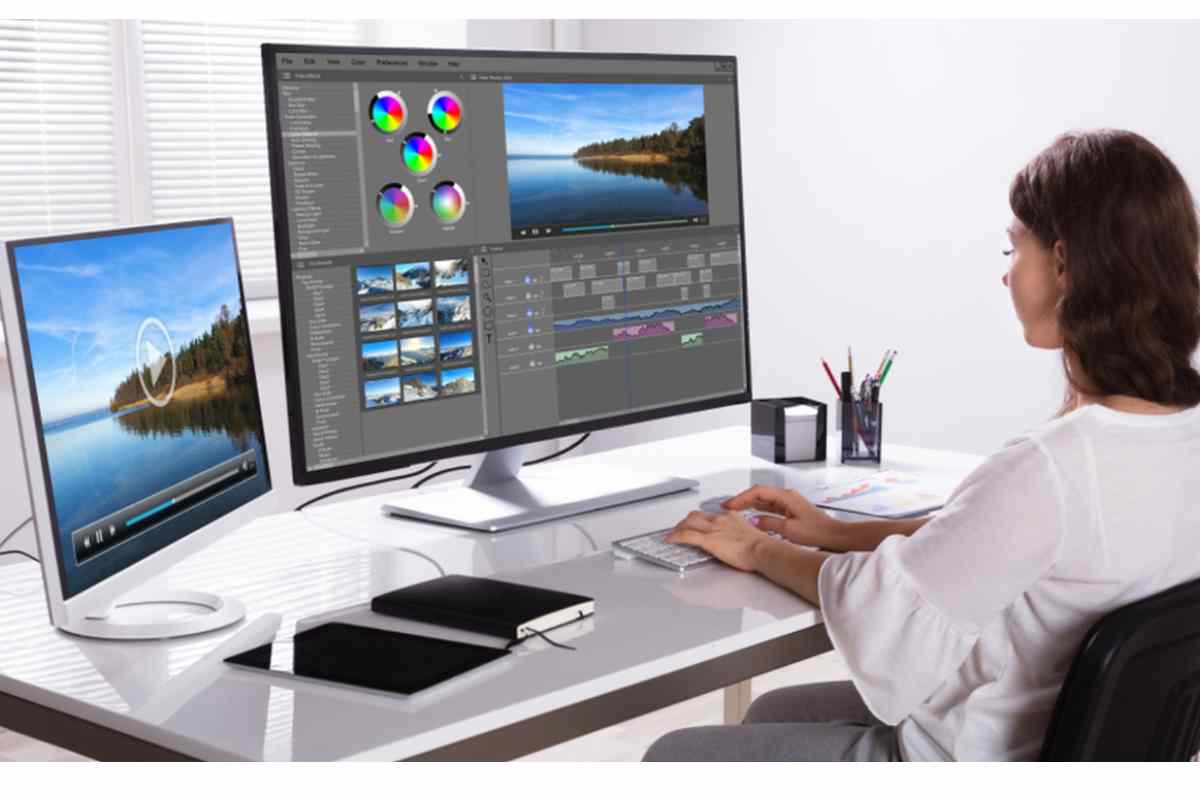
Top 5 Video Editing Tools Every Video Editor Needs to be Aware Of – In a digital world, it is no surprise that videos are one of today’s most popular forms of content. Videos have become an important part of our lives—they help us connect with people and entertain ourselves. And with video-sharing platforms like YouTube and Vimeo on the rise, there has never been a better time for video creation.
Video editing requires tons of experience and knowledge. The more people work on videos, whether they are just videos for leisure or videos for professional purposes, means there is a much higher demand for editing solutions. Many people will hire out these jobs, but those who want to become experienced with video editing will find it beneficial if they have their own set of tools to start working independently sooner rather than later.
If you’re looking to become an expert for video editing services, you need to be sure that they are familiar with the most essential video editing tools out there. It’s easy to get lost in the thousands of choices available. To ease your process of selection, we have a list of some video editing tools you need to be aware of.
Table of Contents
What is a video editing tool?
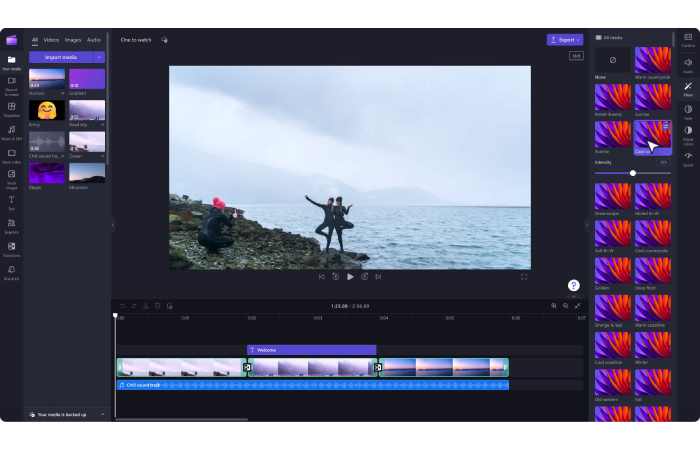
A video editing tool is software that helps you arrange, trim, correct, and enhance video and audio clips into a finished piece. At its simplest it’s a timeline where clips live; at its most advanced it’s an environment for color grading, visual effects, audio mixing, motion graphis, and collaborative version control.
Why the right tool matters
Because the software shapes what you can do and how fast you’ll get there. The right tool saves time, preserves creative intent, and — crucially — reduces frustration. The wrong tool makes simple tasks feel like puzzles and can suck the joy out of a project.
Types of video editing tools
- Consumer / entry-level: Simplified interfaces, many presets, fast results (great for social clips).
- Prosumer: More control (keyframes, basic color wheels), still approachable for hobbyists and YouTubers.
- Professional NLEs (non-linear editors): Deep color grading, multi-cam editing, advanced codec support, collaboration features — used in film, TV, and high-end commercial work.
- Specialized tools: Dedicated color graders, VFX compositors, or audio editors that complement an NLE.
Quick comparison — top video editing tools
| Tool | Platform | Cost (typical) | Strengths | Best for |
| Adobe Premiere Pro | Windows, macOS | Subscription (monthly/annual) | Deep ecosystem (After Effects, Audition), prosumer → pro features | Professional editors, frequent collaborative work |
| Final Cut Pro | macOS | One-time purchase | Fast, optimized for Apple hardware, magnetic timeline | Mac users, fast editing workflows |
| DaVinci Resolve | Windows, macOS, Linux | Free (Studio paid) | Industry-leading color, combined NLE + Fairlight audio + Fusion VFX | Colorists, indie filmmakers, anyone who likes an all-in-one |
| Filmora | Windows, macOS | Freemium / subscription | Friendly UI, lots of presets | Beginners, short-form creators |
| HitFilm (Express/Pro) | Windows, macOS | Freemium / paid | Strong VFX + editing combo | Creators who want VFX without heavy compositing apps |
| iMovie | macOS, iOS | Free | Super simple, integrates with Apple devices | New editors, quick home videos |
| VEGAS Pro | Windows | Paid/subscription | Fast editing, good audio tools | Windows editors, creators familiar with timeline-based workflows |
| Avid Media Composer | Windows, macOS | Subscription / perpetual | Broadcast-grade media management & collaboration | Film/TV post houses, high-end editorial |
| CapCut | Windows, macOS, mobile | Freemium | Native social-media formats, mobile-first features | Reels/TikTok creators, mobile editors |
| KineMaster | Mobile (iOS/Android) | Freemium | Powerful mobile timeline features | Mobile-first content creators |
Why do you need to use professional-grade software for video editing?
Anyone who’s done any video editing knows that the right software can make all the difference in the world. There are thousands of video editing tools out there, and you need to find the ones that work best for you and your project goals. To make things easier, we’ve gathered some of the most popular and frequently used video editing services here, so you can see which ones work best with your video content style.
From basic cuts and color correction to advanced 3D animation, video editing is complex. And with more services like YouTube and Vimeo offering free video hosting, friends or family members likely ask you to edit videos they shot on their phones or tablets. You mustn’t take these requests lightly; if you do, your product won’t look as polished as it should be. We’ve compiled a list of our favorite video editing tools for professionals. These tools will help you create professional-grade videos without breaking your budget and sacrificing quality.
1). Adobe Premiere Pro CC
The backbone of most of Adobe’s creative design services, Premiere Pro, offers a comprehensive set of tools for video editing. Premiere Pro CC is probably one of the most famous video editing tools. It has a wide range of features and a very intuitive interface, making it easy for beginners and professionals alike to create amazing videos.
If you’re looking for an affordable video editor that will get you up and running in no time, then Premiere Pro CC should be your first choice. It supports all major video formats, including 8K and VR formats. Its video editing capabilities include advanced color correction, 3D video effects, motion tracking, etc. If you’re just starting with video editing, then Premiere is an excellent option because it has a user-friendly interface.
2). Adobe After Effects
After Effects is a powerful video editing tool that professionals use for visual effects, motion graphics, and audio post-production. Although it’s not as intuitive as Adobe Premiere Pro, it offers greater control over almost every aspect of your project. After Effects is industry-standard when it comes to creative design software, but some knowledge of coding is necessary if you want advanced features. You can edit long-form content in HD or even 4K, making it a popular choice among video editors working in feature films. You also get an audio editor, color corrector, animation tools, etc.
3). Final Cut Pro X
Launched in 2011, Final Cut Pro X is a video editing tool developed by Apple and Macromedia. This professional tool allows you to edit HD footage fast and easily. It has many features that make it easier for beginners and advanced users alike. It comes with many smart tools, such as audio waveforms and video color correction. Its interface is easy to use, making it perfect for people new to video editing software.
4). DaVinci Resolve Studio 14
DaVinci Resolve Studio is a powerful video editing software designed specifically for professional editors. It provides video editing solutions, and its most recent iteration comes with some new features. Resolve Studio not only helps you edit your videos but also color correct, master, and export them. It offers unlimited video and audio tracks as well as rendering options. The software is available in two versions—DaVinci Resolve 14 Lite and DaVinci Resolve 14 Studio.
5). Pinnacle Studio
Pinnacle Studio is a software suite that gives you all your video editing tools in one package, including mobile apps and multiple devices. It’s easy to use and comes with over 100 video effects. It also has an auto-ducking feature that can automatically lower music volume when someone speaks (which will come in handy for those who talk on camera).
With Pinnacle Studio, you can upload your video directly from Pinnacle Studio onto Facebook or YouTube, which makes it easier than ever to share videos and grow your audience.
Final Words
The video editing market is huge and ever-changing. There are hundreds of different tools and thousands of new ones appearing regularly. It’s necessary to keep up to date with what’s happening in video editing and understand how these changes will affect you as a video editor.
While there are many great video editors out there, some stand out from others for one reason or another. Hopefully, our list of top video editing tools helps you make an informed decision about which device best fits your needs!
Khizrana Begum is an informational content writer who creates clear, structured and reader-friendly articles across general knowledge, technology, digital topics, lifestyle and practical everyday subjects.
Sameena Begum is a content reviewer who reviews selected QuoraBlog articles for clarity, readability, organisation, consistency and responsible presentation.